- Open ESPOSchool Bus above, in Safari.
- Tap the Share button — the small square with an arrow coming out of the top, at the bottom middle of the screen.
- Tap View More, so the whole list opens.
- Tap Add to Home Screen, then Add.
- Open ESPOSchool Bus above, in Chrome.
- Tap the three dots in the top right corner.
- Scroll down to Install, and tap it.
It then opens full screen, like anything else on your phone. Nothing to download, nothing to update, and no store in the middle taking a cut.
What it is
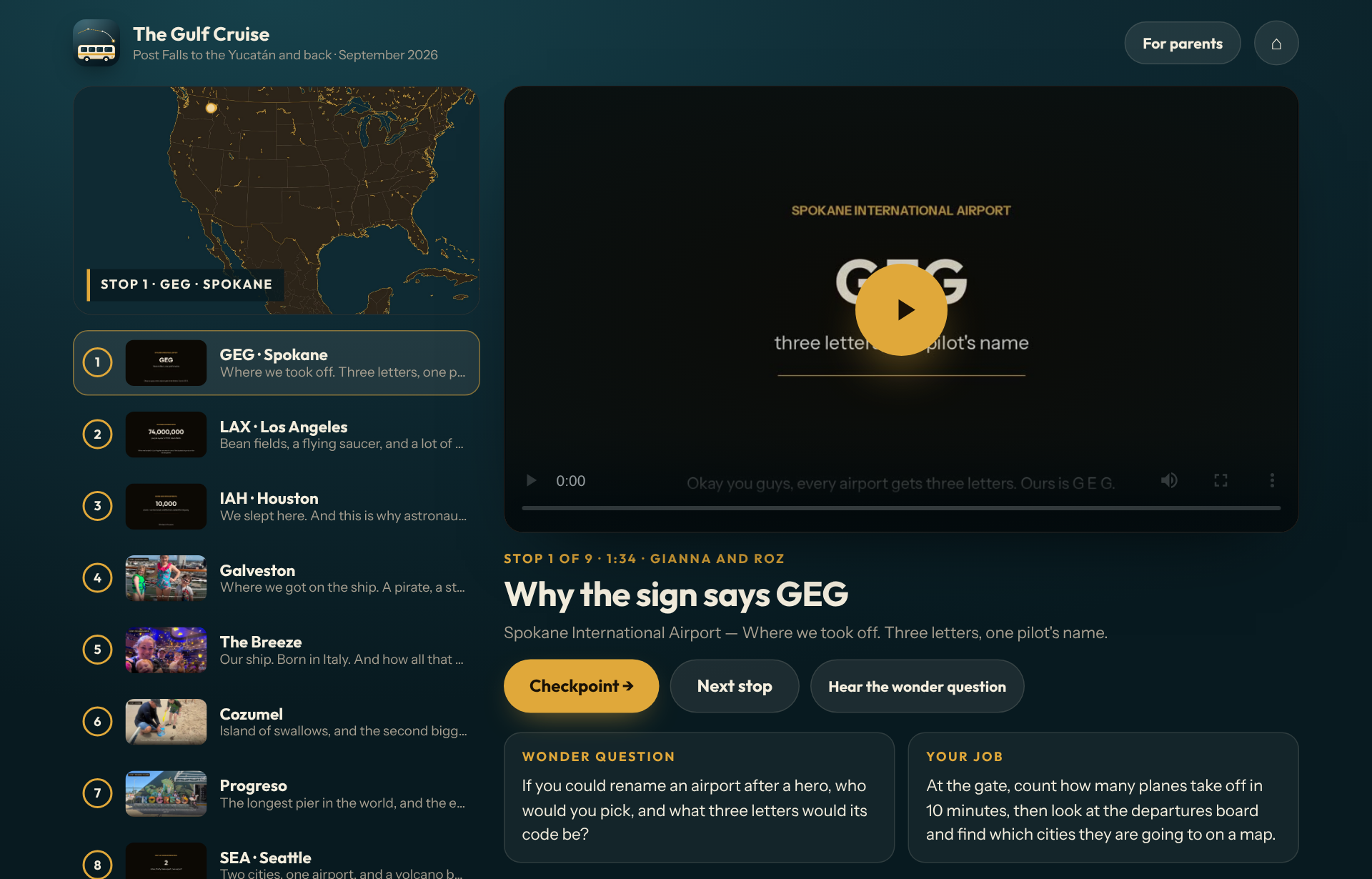
A school bus for homeschool families. You upload the trip's pictures and videos, tell it where you went, and the bus turns every stop into a history lesson on film for kids six to twelve. Your own photos are on screen, the route is drawn on a real map, there is a checkpoint to tap between stops, and at the end the whole trip is put together into one family film you can export and keep.
ESPOSchool Bus runs in your browser. There is nothing to download and no account needed — the link above opens the real software, not a preview or a video of it.
How a trip becomes lessons
- Upload. Everything from the trip, from every phone. It reads the dates on the pictures to work out the order. Your media stays under your own book code and is never posted anywhere.
- Tell it. Say it into the mic or type it: where you started, every place you stopped, how you got home.
- The bus decides. Two separate researchers, the Historian and the Explorer, read every stop on their own against real sources. A third scores how well they agree and how much evidence sits behind them, and teaches a stop only when it clears the gate. Below the gate it goes back for another look, or is skipped. Nothing is a guess dressed up as a fact.
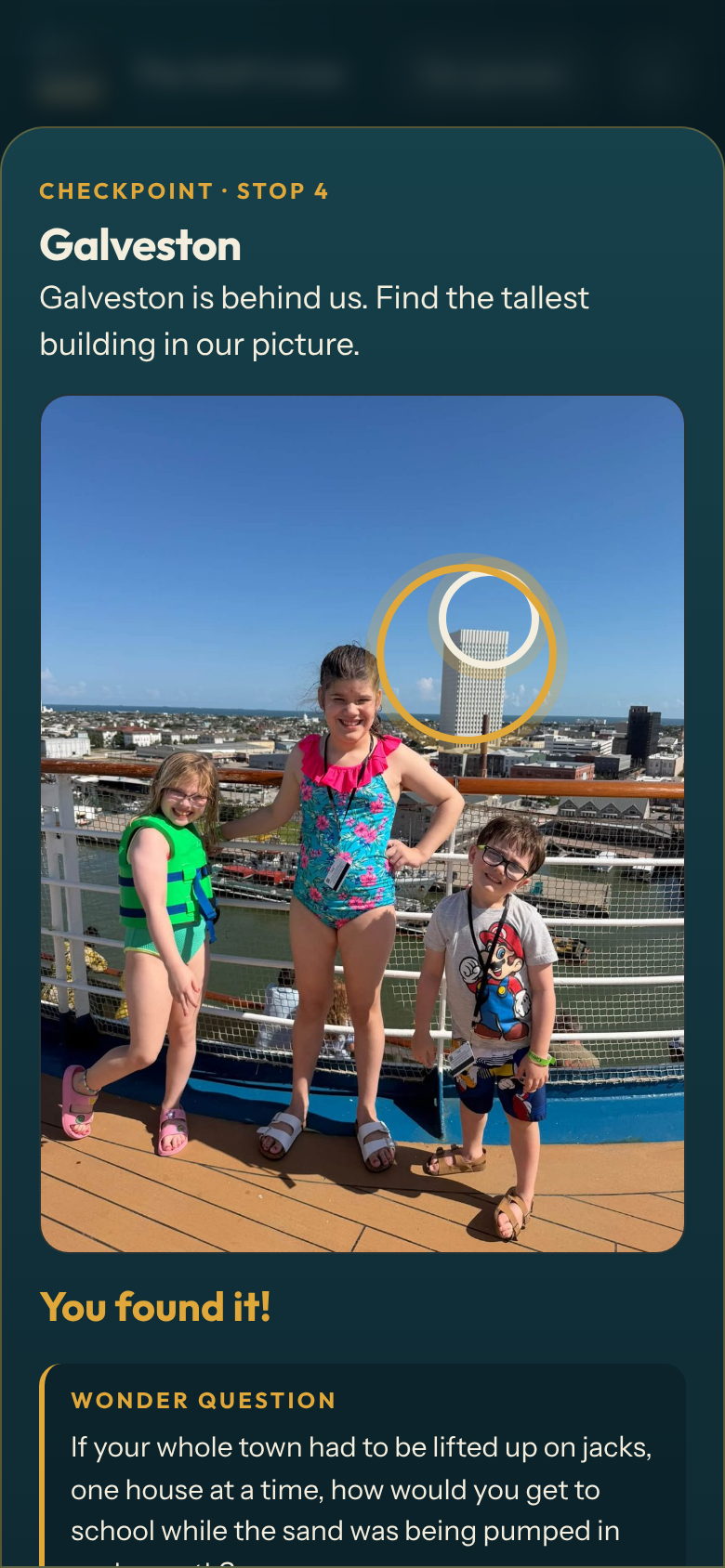
- Watch. A film per stop with Gianna and Roz, a checkpoint between stops (find it in your own picture, tap the map, a wonder question), and then the whole trip in one film, with an export button.
The parent view
Every lesson comes with its audit trail: what the two researchers concluded and how confident each was, the number the bus decided on, the two facts the lesson is built on, the wonder question and the job for the kids, the script word for word, and a link to every source. If you want to know where a fact came from, it is one tap away.
Built for a six-year-old and a twelve-year-old at the same time
There are no fail states anywhere in it. A checkpoint has only forward paths — tap the wrong spot and it shows you the right one, and you move on. Nothing is scored, nothing is kept, and nothing about a child is ever asked for. It works on a computer, an iPad and an iPhone, and once it is on a home screen it opens like any other app.
The first run
The bus was built for our own kids first, on a cruise out of Galveston to Cozumel and the Yucatán in September 2026 — nine stops from the Spokane airport to the longest pier in the world and home again, all nine taught, and a sixteen-minute family film at the end. New trips go on the bus the same way; the films take the machines a while to make, and the app says so honestly while it works.
The facts
More learning
Everything else we make
Accelerated Experiences LLC builds business operating system software for specific trades — dental practices, home care agencies, field service, real estate, engineering, photography — as well as this family of apps. Browse the whole shop.