You Just Say It
Nobody has ever failed at expenses because the receipt was hard to keep. They fail at the part afterward — the sorting, the categorizing, the deciding whether the tank of gas was the business or the family. That part takes a quiet twenty minutes nobody has, so it gets pushed to Sunday, then to the end of the month, then to a shoebox handed to an accountant in February.
Xpense MOS is our answer to that twenty minutes. You hold a button and talk. Or you type, if you can't talk right now.
Two minutes of it, start to finish
Before the written walkthrough, here is the commercial. Everything in it is the real app doing the real thing — no mockups, no actors.
Xpense MOS — the commercial. Two minutes, captioned throughout.
Here is the whole thing, start to finish
I said one sentence to it: "45 miles to the estate sale and bought five books for resale — 12, 8, 15, 9 and 24."
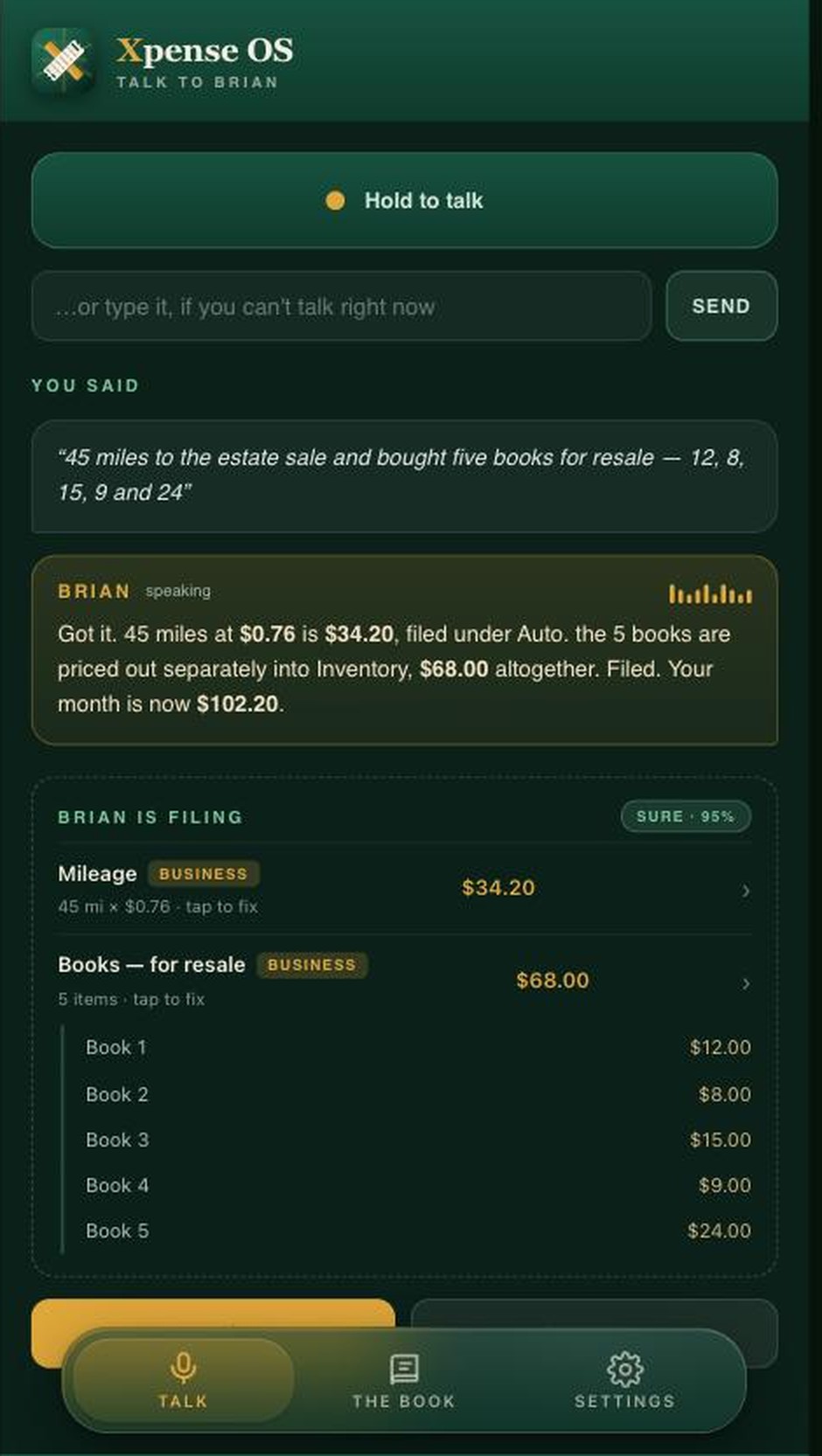
One sentence in. Mileage, five line items, and the arithmetic already done.
Forty-five miles came out at the going rate and landed under Auto. The five books were priced out separately — five line items, not one lump of sixty-eight dollars — because at resale time you need what each book cost, not the total. Nobody had to say any of that. It read the sentence the way a bookkeeper would.
It shows its work before it does anything
Look at that screen again. Nothing has been filed yet. It tells you what it heard, marks how sure it is, and puts tap to fix on every line. Only then is there a button that says FILE IT.
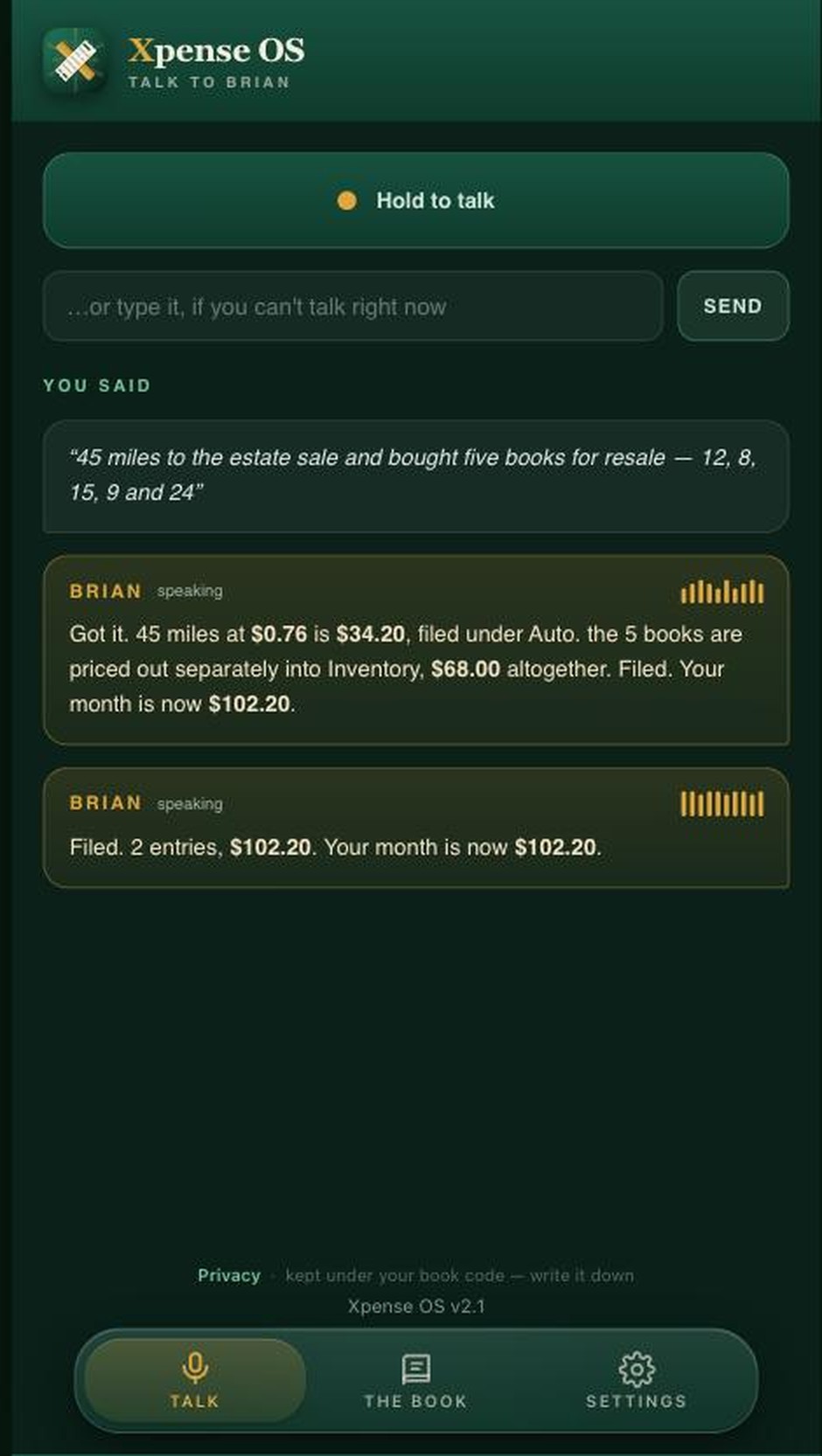
Filed, and only after a human said so.
That rule isn't new here. The fraud tool we put out last month runs on the same one: no alert without the evidence behind it, and a person decides. Software that quietly makes decisions on your behalf is software you have to audit later, and auditing it costs more than doing the work yourself would have. Show the arithmetic. Let the person confirm. Then act.
The one question it asks
Business or personal. That's it — that's the only thing it will ever interrupt you about, because it's the only thing it genuinely cannot work out from your sentence. Everything else it infers and shows you. That one answer it needs from you, in the moment, while you still remember the trip.
Get that one answer at the time and nothing is left to go back and mark later. That is the entire difference between a book that's ready in February and a shoebox that isn't.
The book
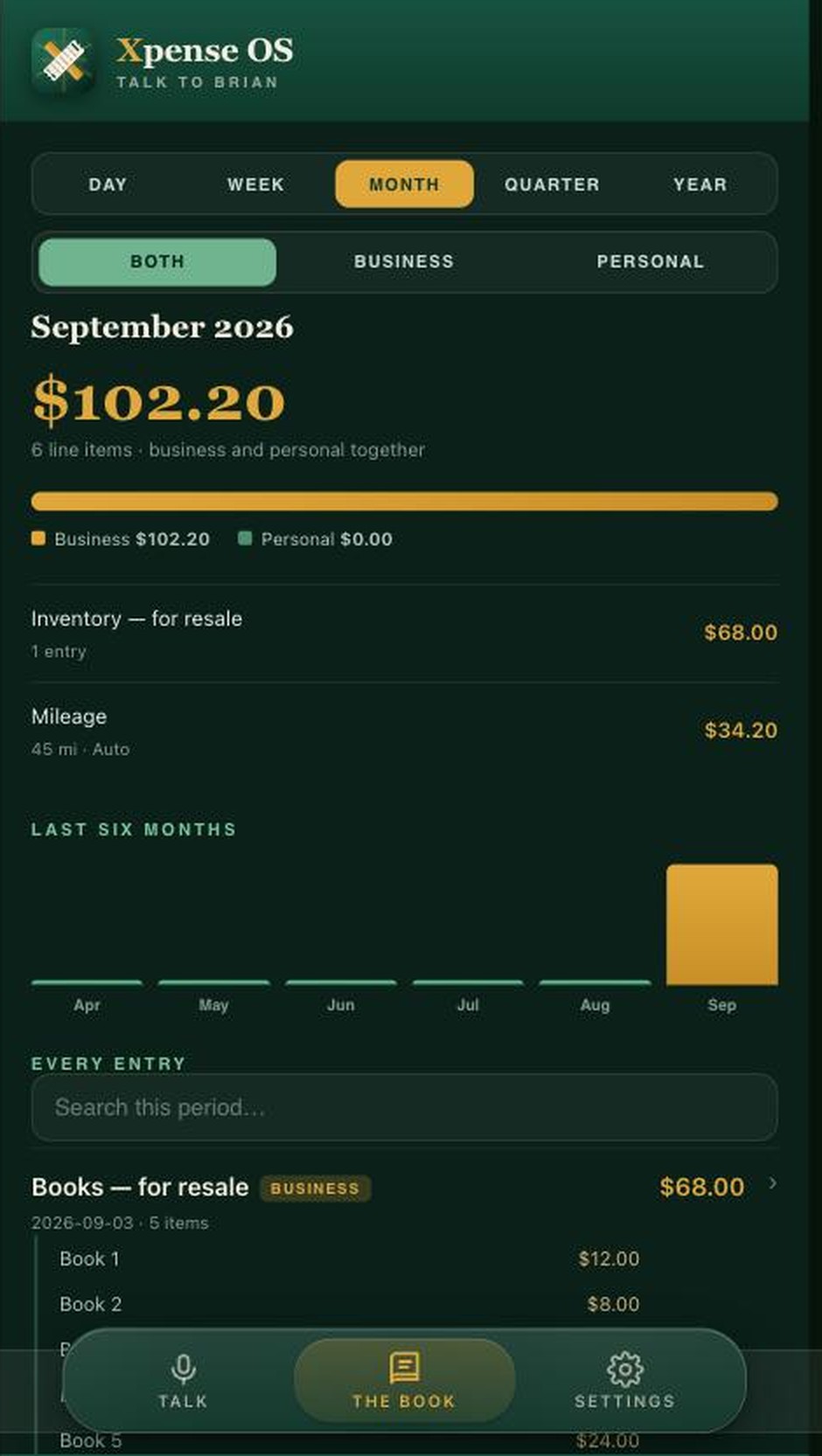
Day, week, month, quarter, year. Business, personal, or both at once.
One book holds a household and a business without mixing them up. You can look at a day or a year, business only or everything together, and when the accountant asks, it goes straight out to QuickBooks — or as full detail, if they'd rather have every line.
It's kept under your own twelve-character book code. Write it down. That code is why the book is still there after a cleared browser, a new phone, or a lost one.
There is no App Store. There doesn’t need to be.
Here is the thing almost nobody knows, and it costs us more than any other single misunderstanding: you can keep a web app on your phone exactly like a downloaded one. Same icon on the home screen, same full-screen launch, no address bar. People assume that if it did not come from the App Store, it lives in a browser tab forever and they will lose it. That is simply not true, and it has probably cost us more customers than any feature we ever shipped.
On an iPhone it is Share → View More → Add to Home Screen. Two things trip people up. The Share button is a small square with an arrow coming out of the top, at the very bottom of the screen, and most people have never had a reason to notice it. And Add to Home Screen is not in the first list you see — you have to tap View More to open the rest.
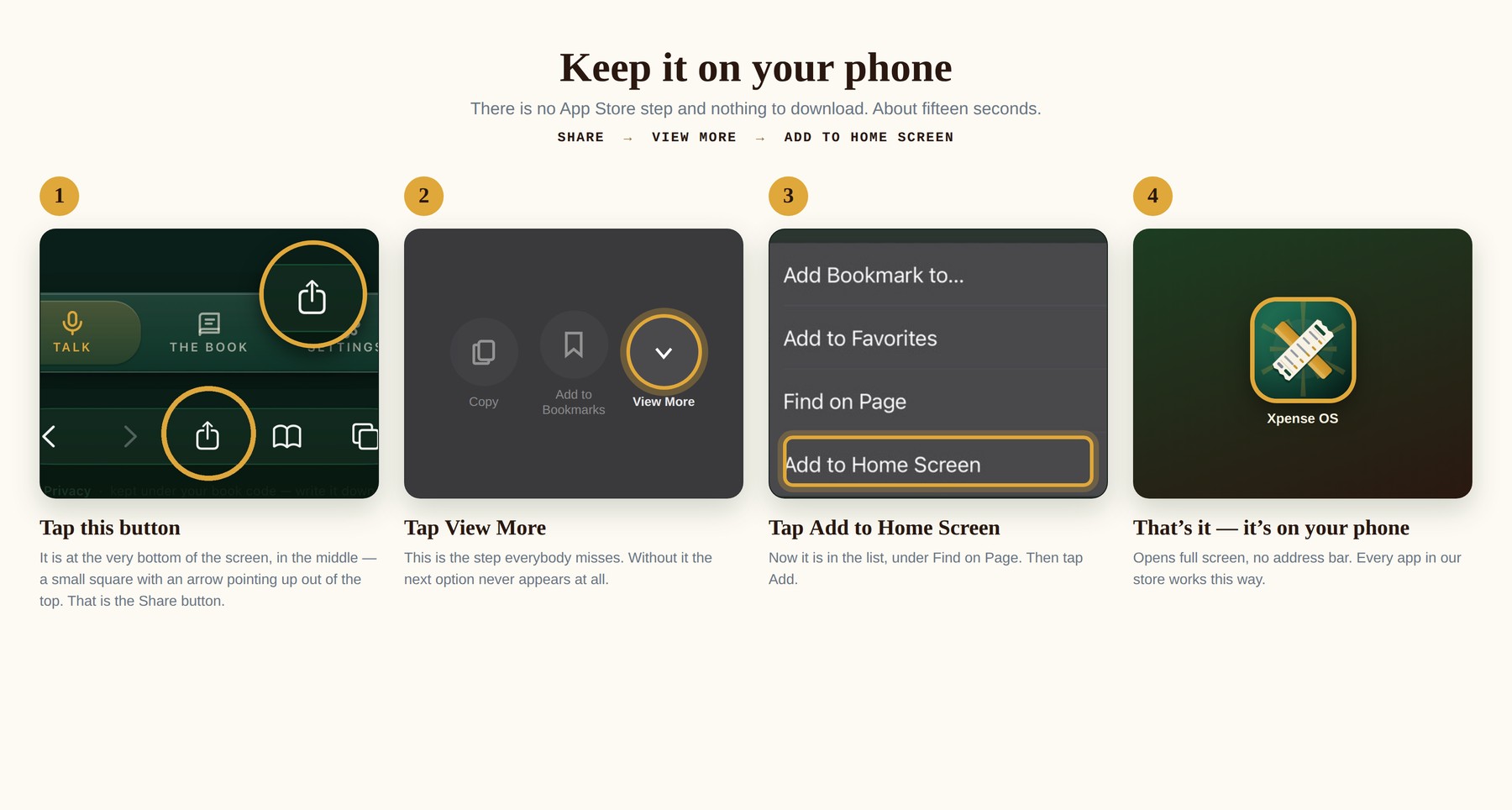
Share → View More → Add to Home Screen.
On Android it is the same idea: the three-dot menu, then Add to Home screen or Install app.
Once it is there it behaves like anything else on your phone — tap the icon, it opens full screen. The difference is what did not happen: no App Store, no download, no account to create, no permissions to grant, and nothing sitting on your phone taking up room. And nobody had to approve it before you could have it.
That is true of everything on our shelves, not just this one. Every app in the store can go on your home screen the same way.
Free right now, and priced honestly
Xpense MOS was tested through September 30, 2026 — by people in this family who drive for work and have to account for it, not by a focus group. Since October 1, 2026 it is nine dollars a month, or seventy-nine a year — the number set before testing began, and it has not moved. Nothing auto-charges, your book stays yours, and it exports to QuickBooks whether you carry on or not.
I'd rather tell you the price now and not charge it than surprise you with one later.
A full stack, customized accelerated business OS that fits in the palm of your hand, and thirty-five apps beside it. You can talk to all of them — this is the one where talking is the product.